 App page
SmartRezept
Your cookbook with AI: photograph a recipe, paste text or a link – and SmartRezept turns it into a clean, searchable recipe.
- Free
- No account
- App in German and English
01GPS speedometer · Compass · Trip log
SmartRezept
Everything for cooking in one place
From the collection to the timer at the stove.

Everything at a glance
Everything for cooking in one place
From the collection to the timer at the stove.
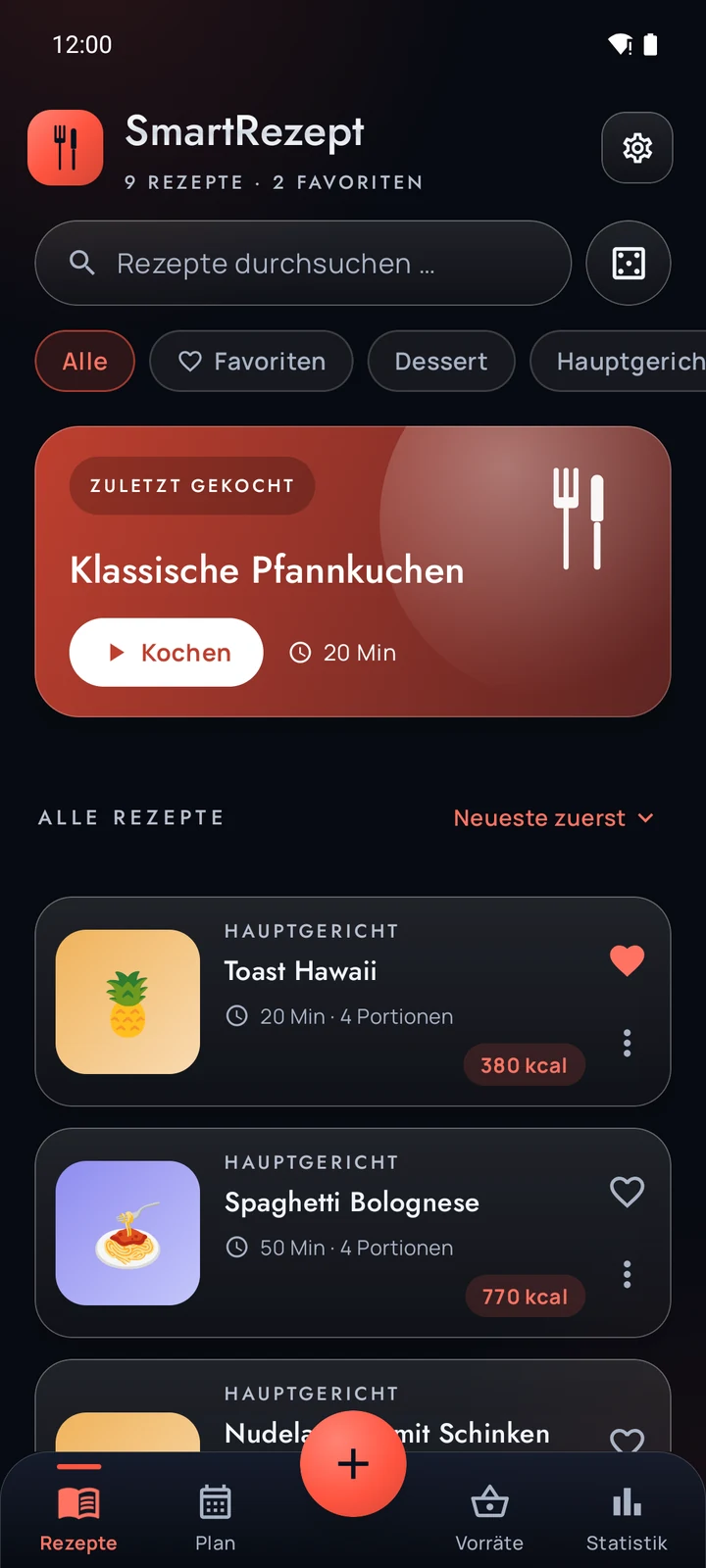
Collect and find
Search, filter, sort by category and tag. Favorites, stars and your own notes for each recipe.
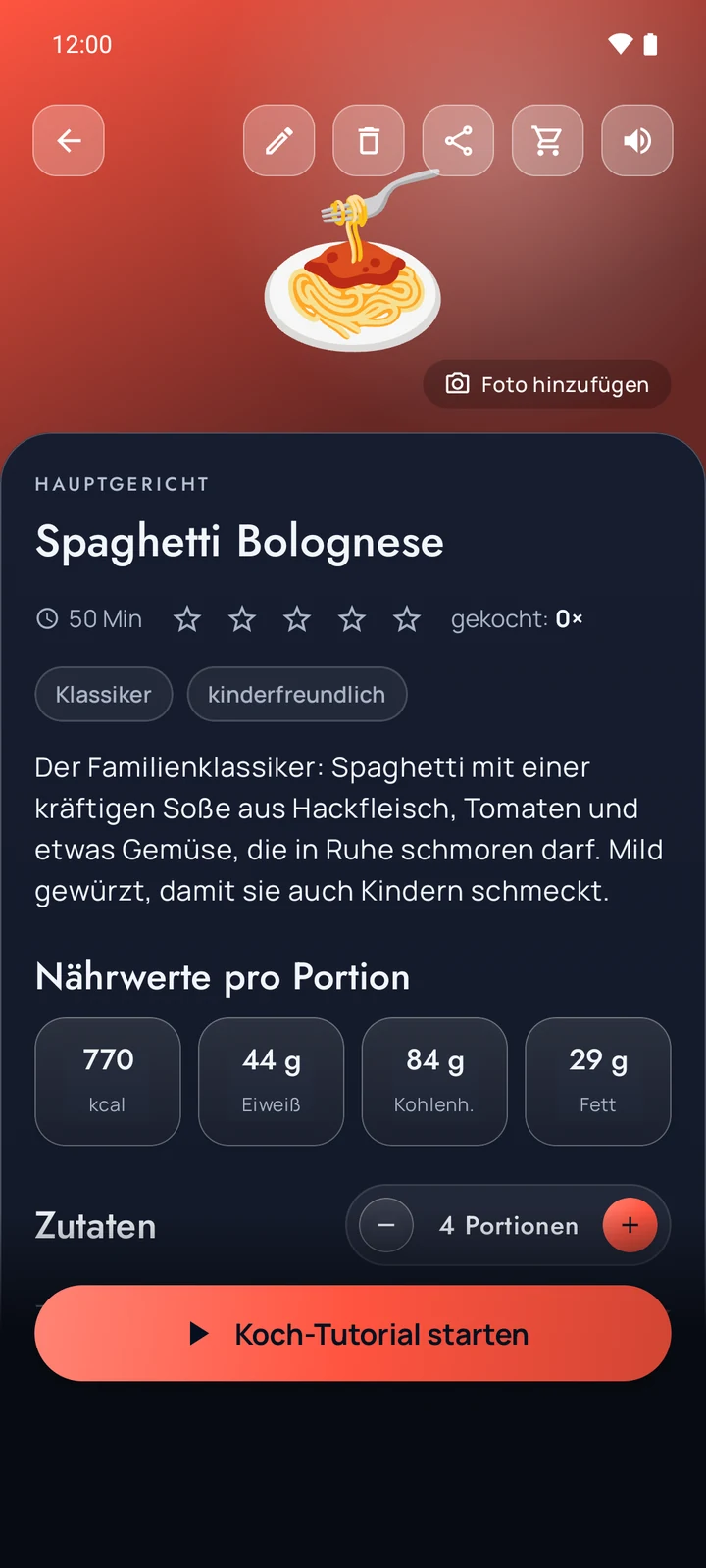
Scale the servings
Amounts recalculate for the number of people you want. Nutrition per serving as a rough estimate.
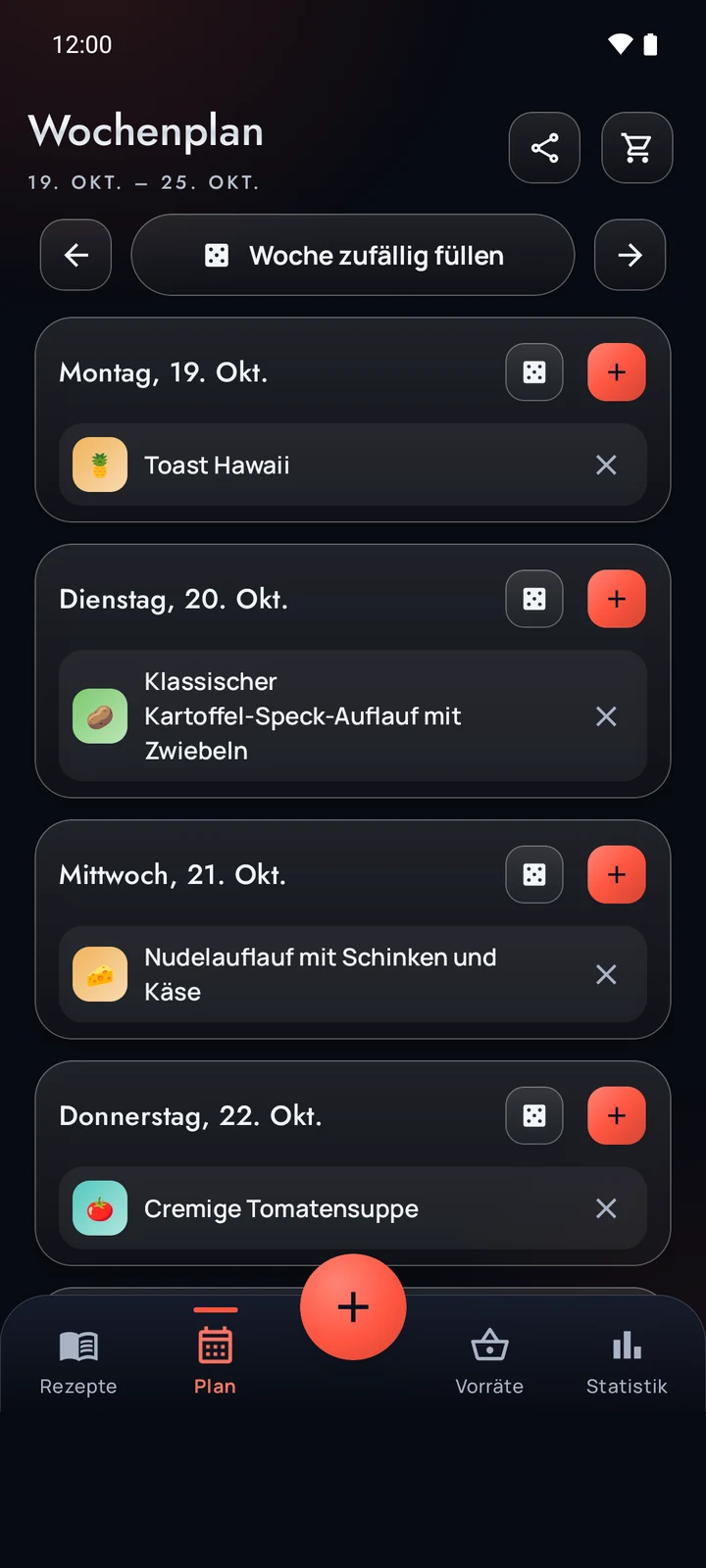
Meal plan
Put recipes on days – by hand or at random.
Shopping list
The week’s ingredients added up. Tick things off and add your own items.
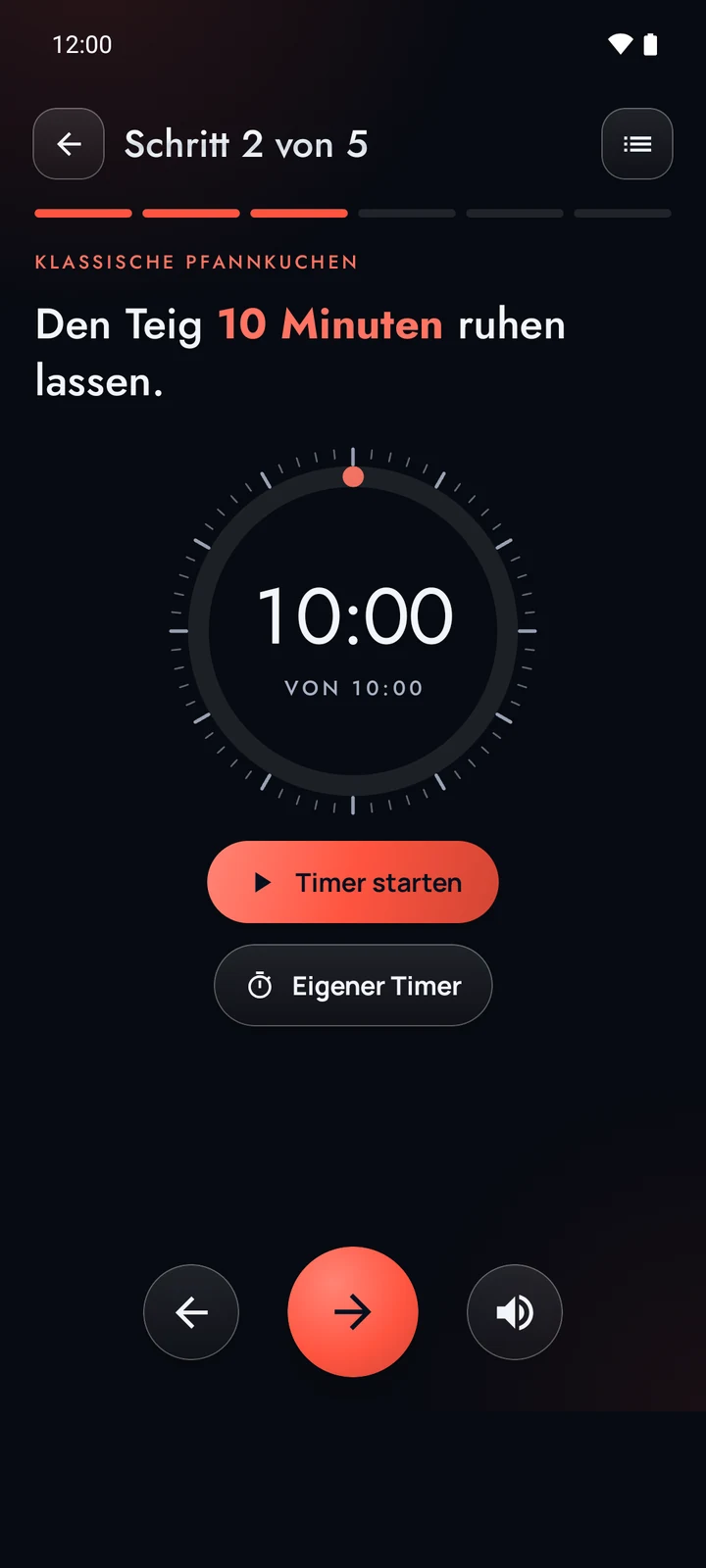
Cooking mode with kitchen timer
Step by step, with the screen kept on. The timer rings even when the phone is locked.
Read aloud
The app reads the steps to you – with a voice and speaking speed you can choose.
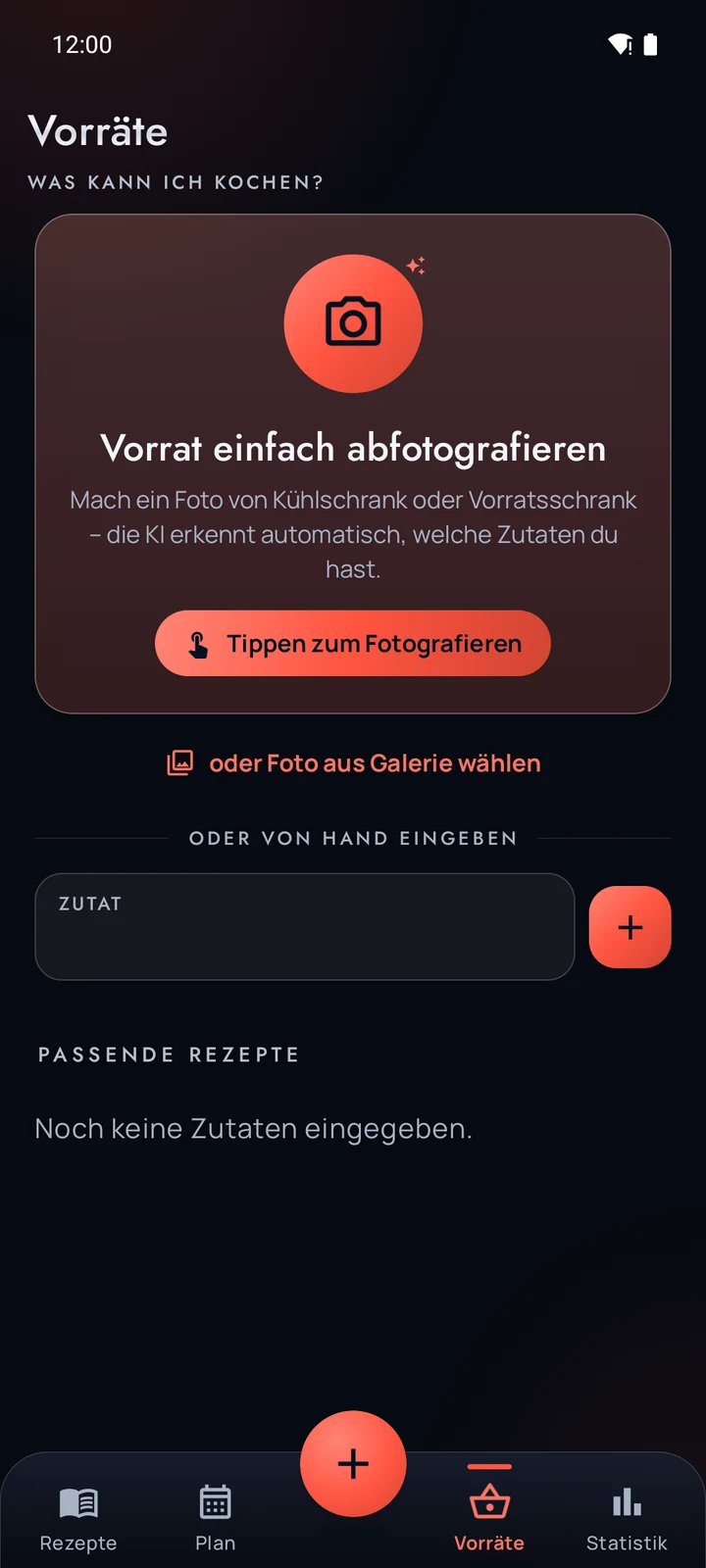
Ideas from your pantry
Photograph your supplies and the AI suggests recipes for what you have.
Backup as ZIP
Save recipes, photos, plans and settings as a file and restore them any time.
Light and dark, German and English
The look follows the system or your choice. The app is available in German and English.
From photo to recipe in three steps
From a book, a magazine, handwriting or the internet to a clean recipe in your collection.
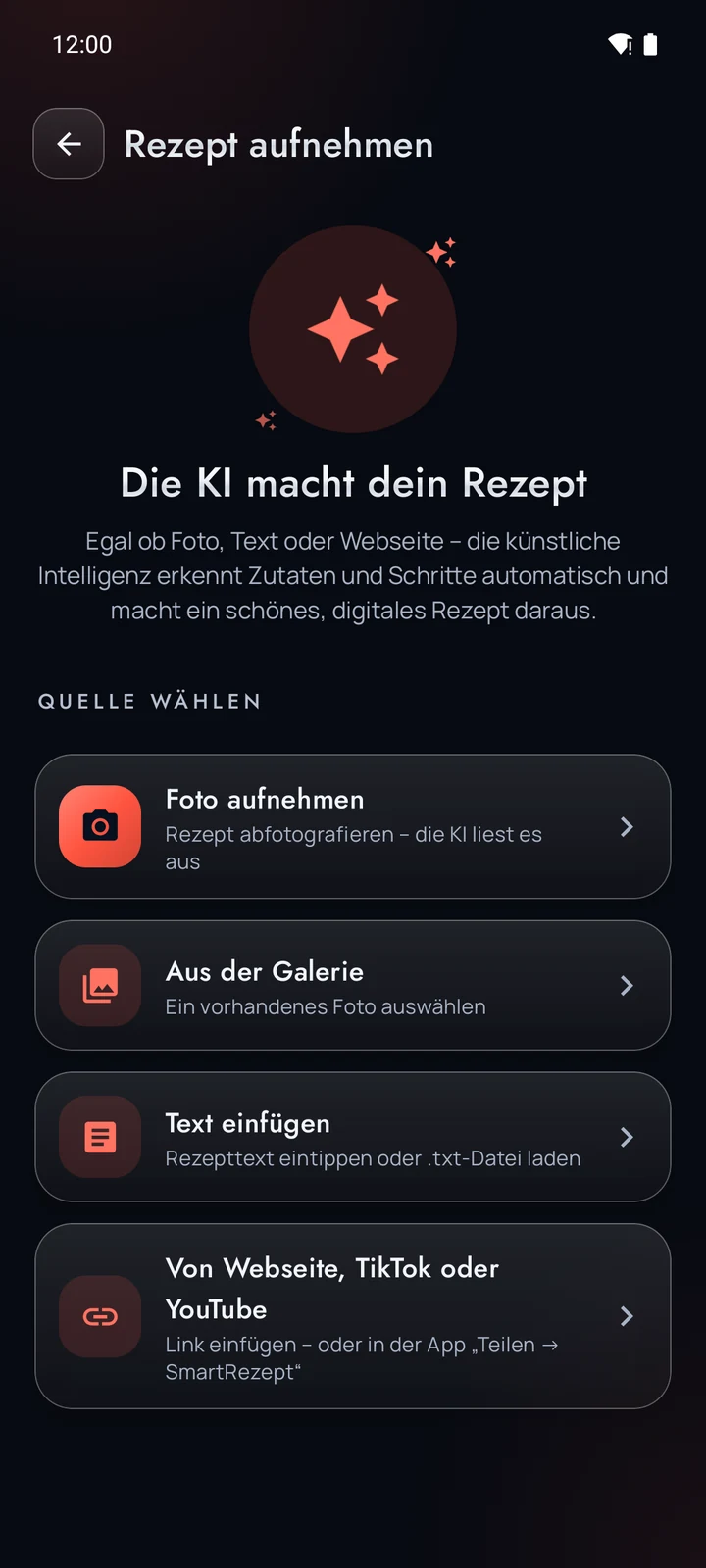
Capture or paste
Photograph a recipe or pick an image from the gallery, paste text, or share a link from a web page, YouTube or TikTok.
The AI reads along
It recognizes title, ingredients, steps, servings and times, and estimates the nutrition per serving.
Check and save
Take a quick look, adjust if needed – and the recipe sits neatly in your collection.
- Photo
- Image from the gallery
- Text
- Text file (.txt)
- Web page
- YouTube
- TikTok
- Pantry photo
Instagram posts cannot be read from a link: copy the description and paste it as text. You can also enter recipes by hand, without any AI.
Free – and honest about how
SmartRezept costs nothing and needs no account. The app is financed by advertising.
Ads from Google AdMob
A banner at the bottom, an entry labeled “Ad” in the recipe list and occasional full-screen ads – usually before a scan. Personalized ads only with your consent.
10 scans a month for free
Photo, text and link scanning are free 10 times per calendar month and device. Entering recipes by hand always works.
More with a video ad – optional
Once the free scans are used up, a video ad brings 3 more (at most 3 videos a month). It only starts when you tap it.
No account, no subscription
Nothing to sign up for, nothing to cancel. Recipes, photos and plans stay on your device.
The AI can be wrong
Recognized recipes may be incomplete or contain errors – for example in amounts, temperatures, cooking times or nutrition. Check them before you cook.
With allergies and intolerances, always check the original source and the packaging.
What happens to your data
Recipes, photos and plans stay on your device. Only when you start a scan do exactly that photo or text go, via the SimpleCrafts Studio server, to the AI service of Anthropic. The server does not store the content.
Frequently asked questions
Does SmartRezept cost anything?
No. The app is free and is financed by ads from Google AdMob.
Do I need an account?
No. There are no user accounts and no crash reports.
How many scans are free?
10 per calendar month and device. After that you can voluntarily watch a video ad and get 3 more (at most 3 videos a month). Entering recipes by hand always remains possible.
Does it work with Instagram?
Not via a link, because Instagram requires a login for that. Copy the description in Instagram and paste it into SmartRezept as text. Web pages, YouTube and TikTok work via a link.
Does the timer ring when the phone is locked?
Yes. The kitchen timer keeps running and notifies you with a sound. From Android 13 the app asks for permission, which is optional; it uses notifications only for the timer.
Which languages does the app come in?
The app is available in German and English. This page is available in 11 languages.
Is there a SmartRezept for iPhone?
Only for Android so far. If you have an iPhone, you can join the waiting list further down.
What happens to my recipes when I change phones?
Under “Back up & restore” create a ZIP file with recipes and photos and load it again on the new device. If Android backup is switched on, Android also backs up recipes, plans and settings (without photos) in your Google account.
iPhone
Tell me when SmartRezept comes to iPhone
SmartRezept is only available for Android so far. If you have an iPhone, sign up and you will get one email when an iPhone version is released – and not otherwise.
Ready to cook?
SmartRezept is now on the Google Play Store – for free.
Free, no account. The app is available in German and English.