 SimpleCrafts Studio presents
MirrorLens
A magnifier and a make-up mirror in one app. With a ring light, a hold button and a negative image that makes dark ticks show up on pale skin.
- Free
- No account, no subscription
- Never uploads your images
01Magnifier · Mirror · Ring light
MirrorLens
The app, step by step
Six pictures, six situations – in the order you get to know the app.
Everything at a glance
Two tools you actually need
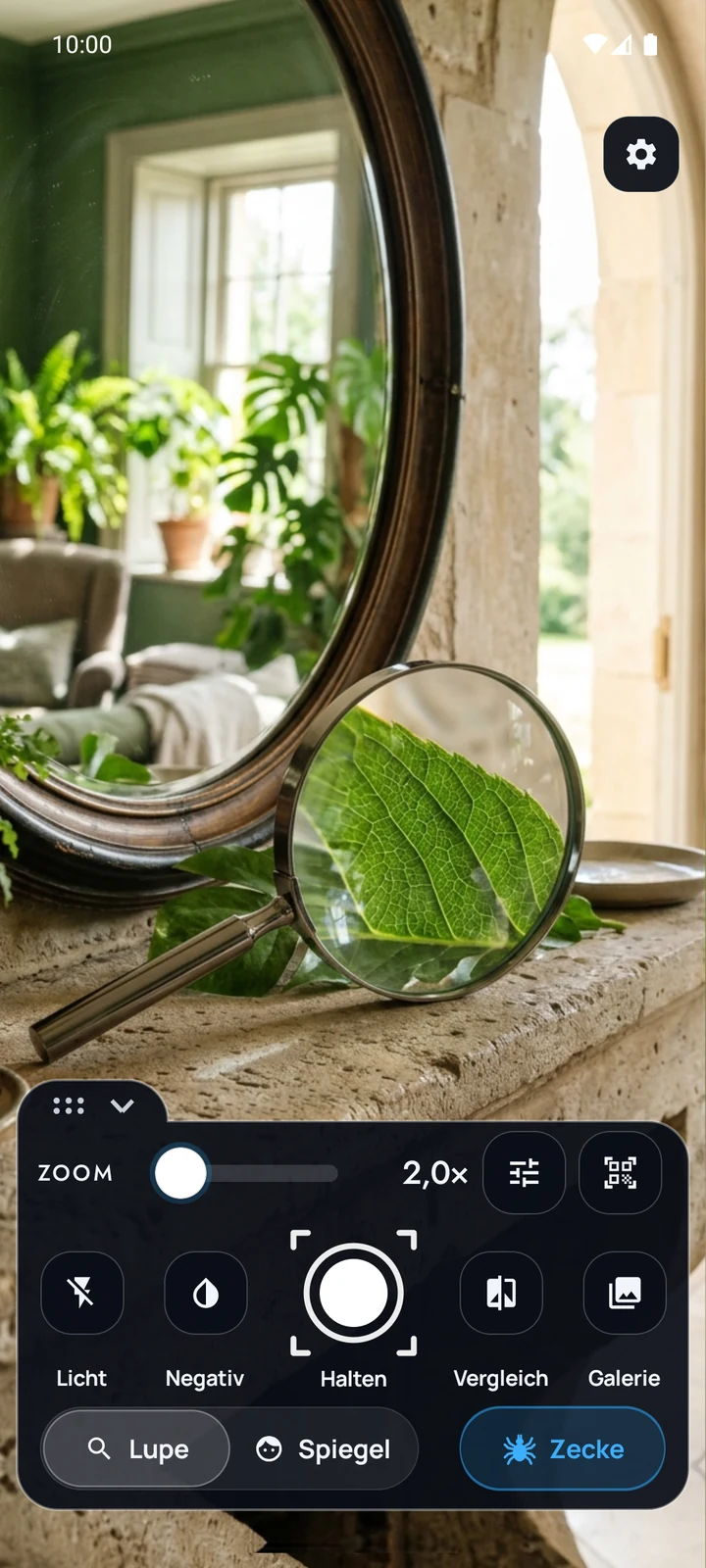
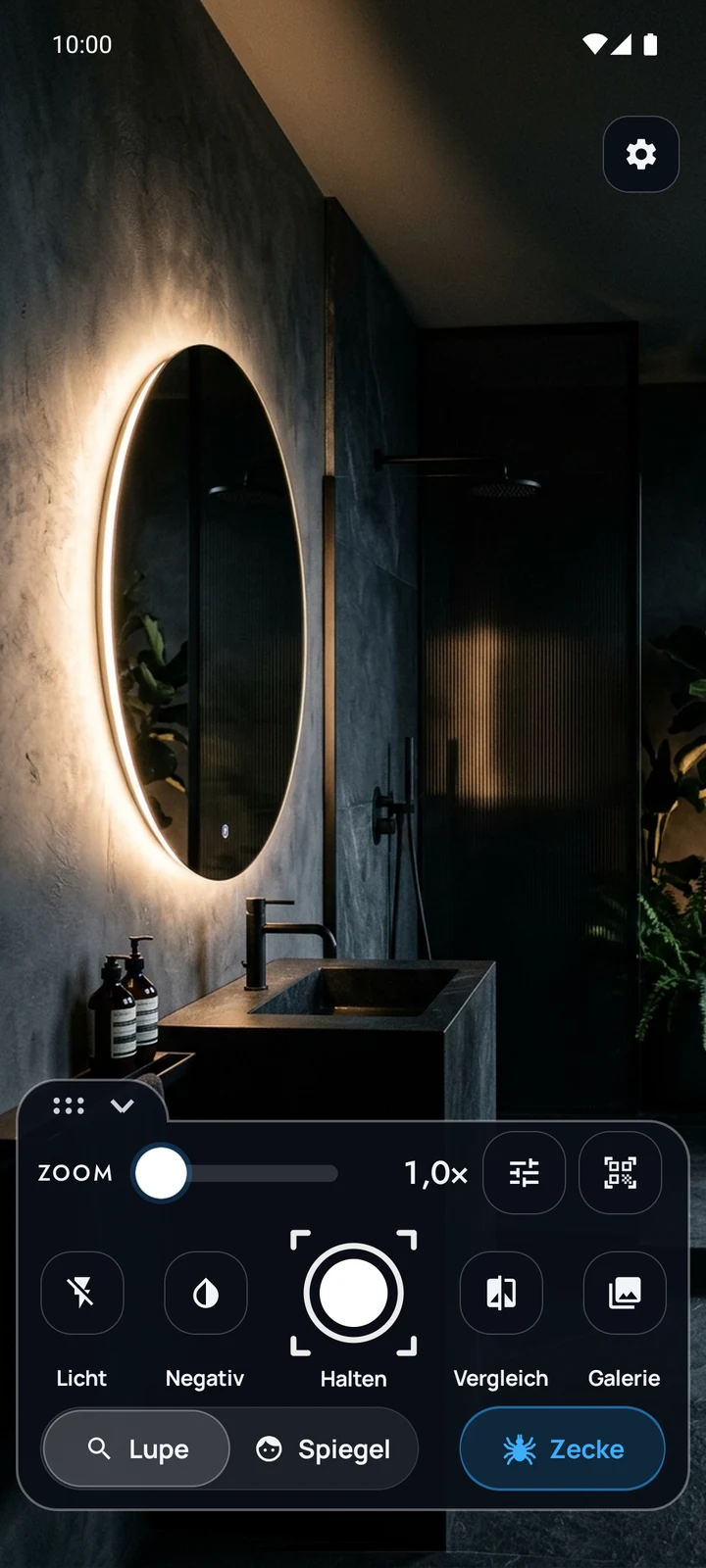
One tap switches: rear camera as a magnifier, front camera as a mirror. Each mode remembers its own settings.
A magnifier that really zooms
A zoom slider instead of fixed steps, pinch with two fingers – and if you like, the volume keys zoom when you can't see the screen.
Hold the image – the most important button
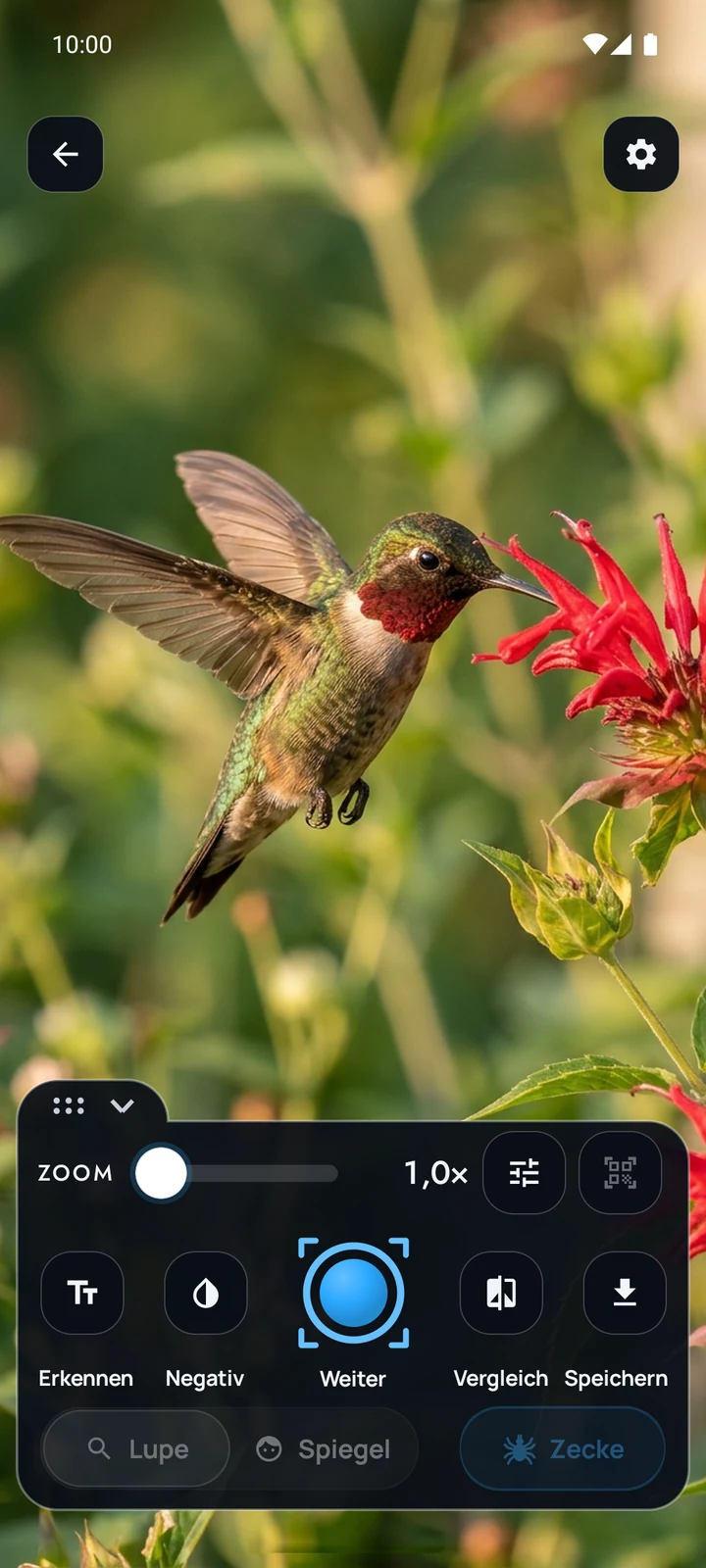
One tap freezes the picture. Then zoom in at your leisure and move the section with a single finger. For shaky hands, that is half the reason for the app.
Negative view for finding ticks
The “Tick” button inverts the colours, switches on the light and magnifies. A dark tick on pale skin becomes a bright dot. Judging it is up to you – the app assesses nothing.
A ring light like at the dressing table
A bright frame around the picture lights up your face – width, brightness and shape are all adjustable, plus five light moods from daylight to candlelight.
Read the small print – or hear it
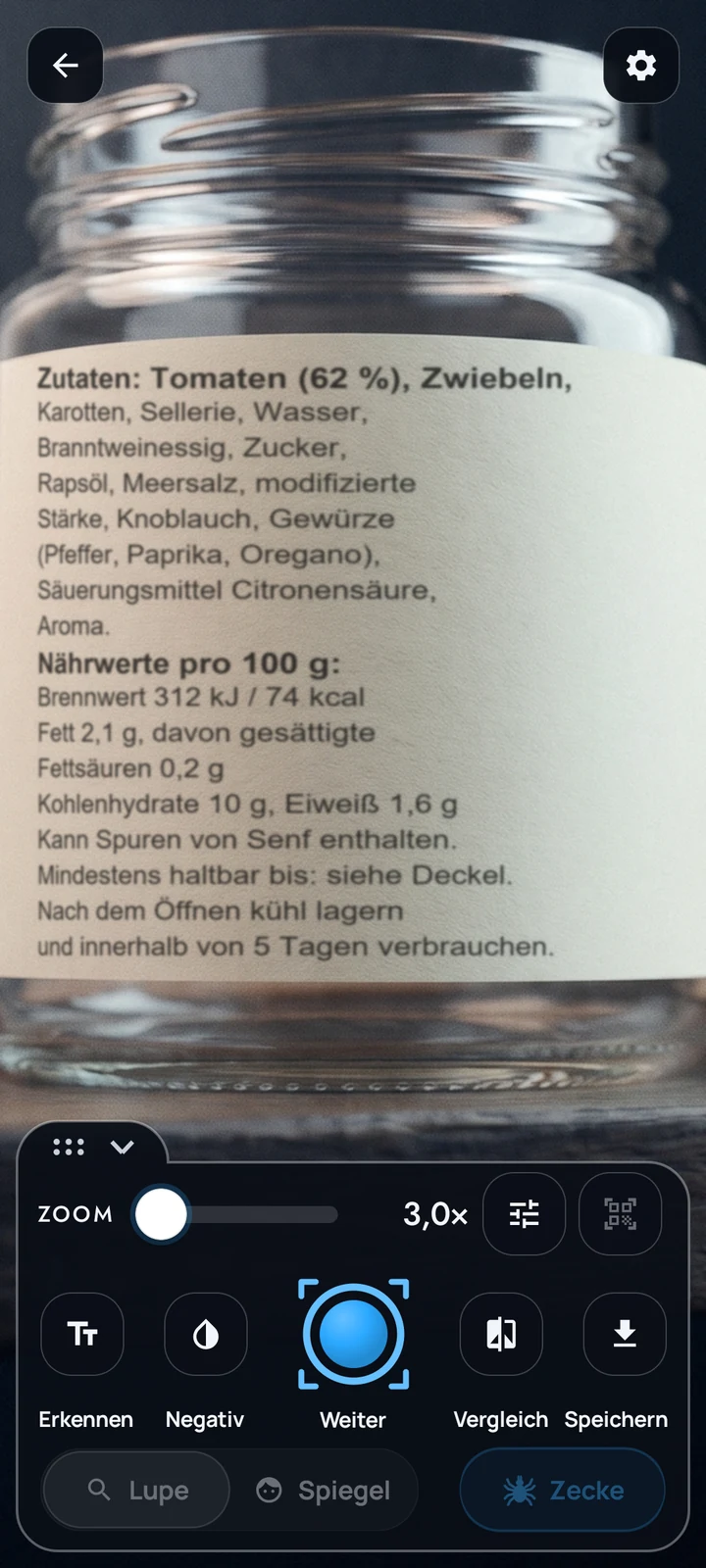
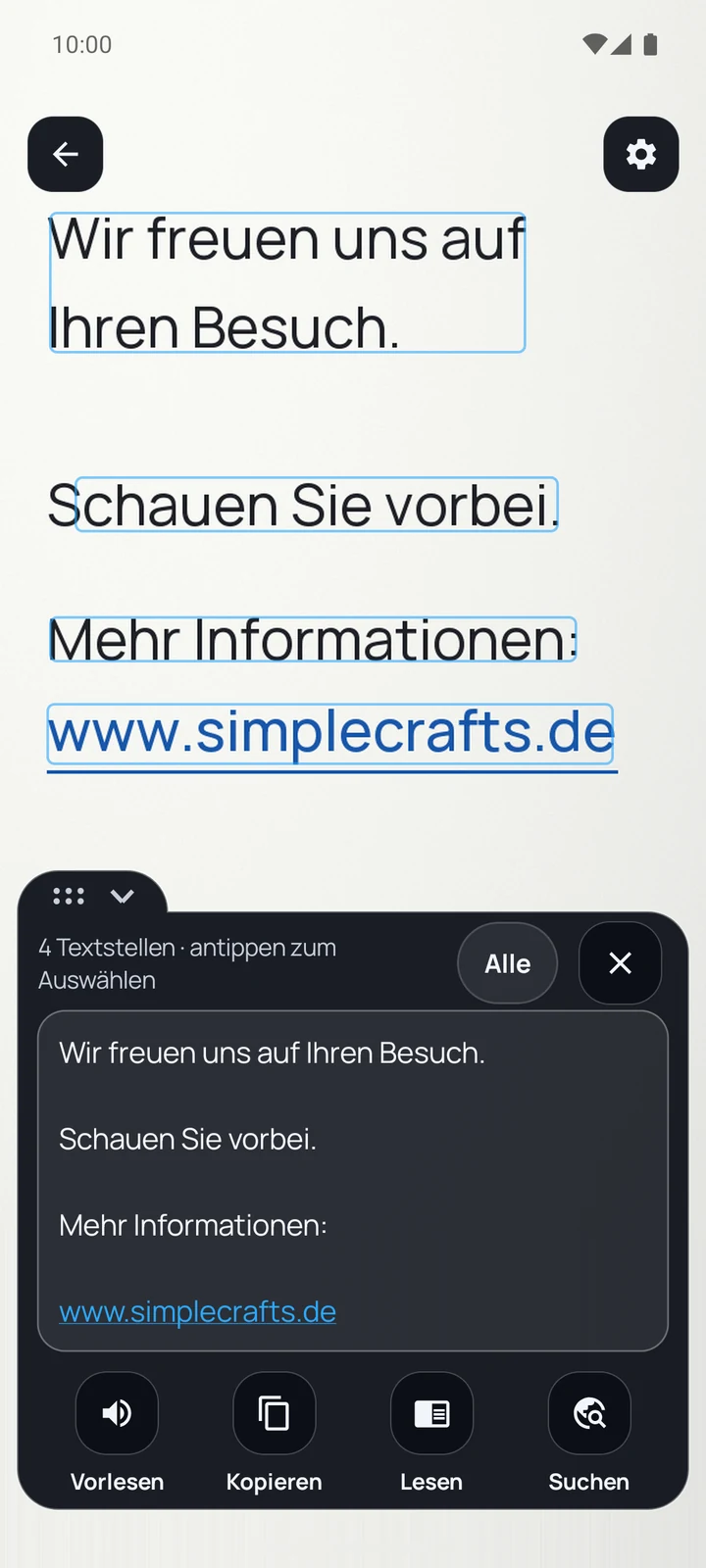
Text recognition frames what it finds; tap, copy – or have it read aloud. While reading, the spoken word is highlighted, and “Search” opens the text as a Google search in your browser. The package insert becomes an audio text.
Scan barcodes and QR codes
The scanner searches the live image and freezes it as soon as it finds something. The content always appears as plain text; only what you tap is opened. Web addresses become links.
Save it and find it again
A held image goes to the “MirrorLens” album in your gallery – documented, easy to share, and just as easy to delete.
The app doesn't upload your images or texts
The app does not upload camera images or recognised text, and none of it goes to SimpleCrafts Studio. Text recognition and the code scanner work without internet – the recognition models are inside the app. Only when you tap “Search” does a Google search open in your browser. Otherwise the app goes online for ads, for technical diagnostic data of Google's recognition (ML Kit) and – if you switch it on – for crash reports.
More features
The mirror with its ring light
When you switch to the mirror, the ring light comes on – that bright frame is the reason you reach for it. Width, brightness, shape and light mood are set via the gear icon.
With “evening light” you can see in the morning how the result will look tonight at the restaurant.
Scan codes
The “Scan” tile next to the zoom slider starts the scanner. It looks inside the frame of the live image for barcodes, QR and Data Matrix codes; when it finds one it automatically freezes the image and shows the content as plain text – only then do you decide whether anything is opened. In landscape the frame is larger.
Tip: Refuels and charges sit chronologically between the trips. On a boat the whole thing is called a logbook.
Everything in detail
The complete list – so you know what is inside before you install.
Magnifier
- Zoom by slider, two-finger gesture or – optionally – volume keys, as far as the camera reaches
- Torch, dimmable on devices that can regulate continuous light
- Hold the image and magnify the still up to 8×, moving the section freely – a long press on “Hold” records a short video
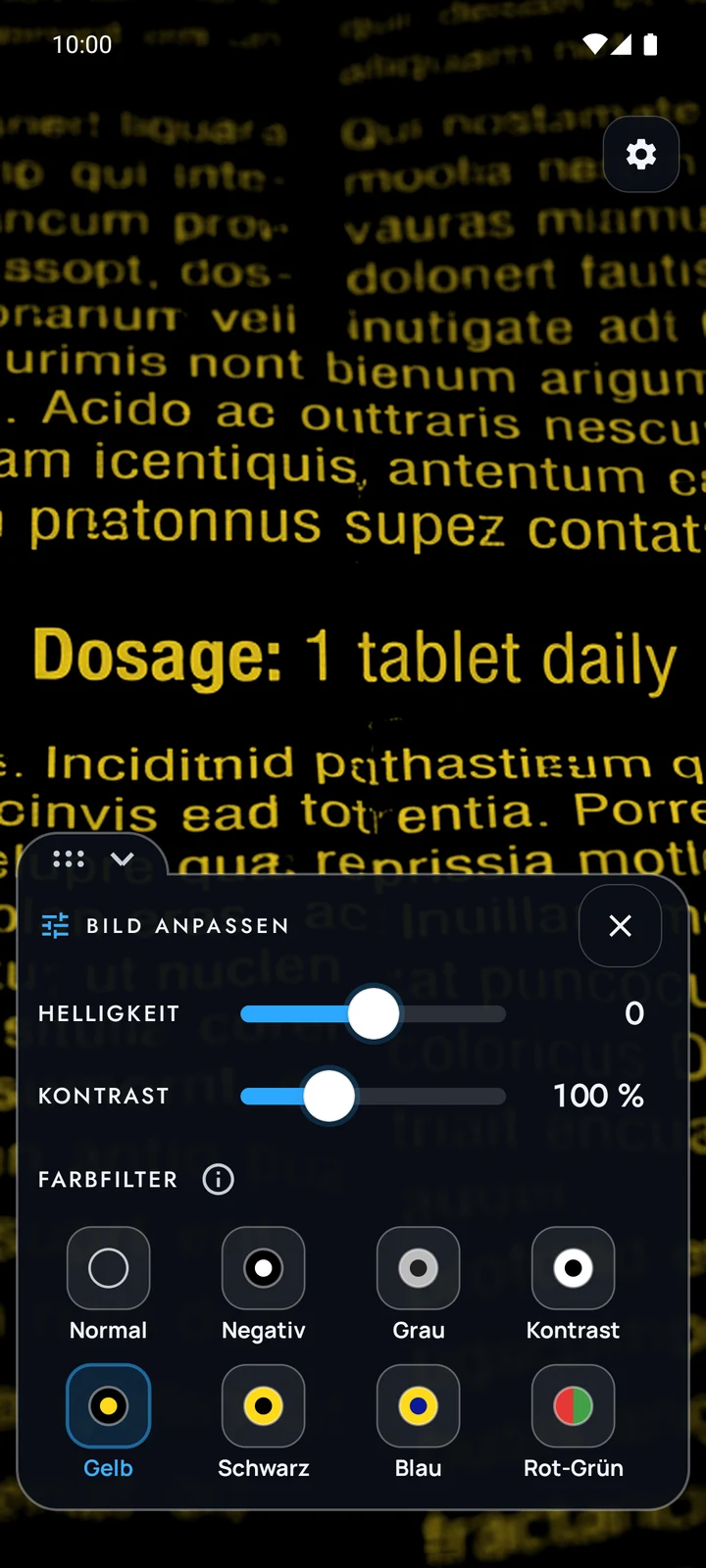
- Six colour filters from the world of low-vision aids (yellow on black, black on yellow, blue on yellow, greyscale, high contrast, negative) and a red-green simulation showing how people with red-green colour weakness see colours – not a substitute for a vision test
- Tick mode as a single button: negative, light on, triple zoom, full brightness
- Text recognition with selection, copying, reading aloud with the spoken word highlighted (“karaoke”) and a large reading mode; “Search” opens Google in your browser, web addresses become links – only when you tap
- Code scanner for barcodes, QR and Data Matrix codes, automatically freezes the image on a find; only what you tap is opened
- Tap to focus, locked permanently if you prefer
- Brightness and contrast adjustable on the image – against backlight and faded originals
Mirror
- Ring light as a bright frame – width, brightness and shape (frame or top only)
- Five light moods: daylight, office light, evening light, candlelight, cool
- Full screen brightness for the app window only – your device setting stays untouched
- True to life or mirrored – the way others see you, or the way a mirror does
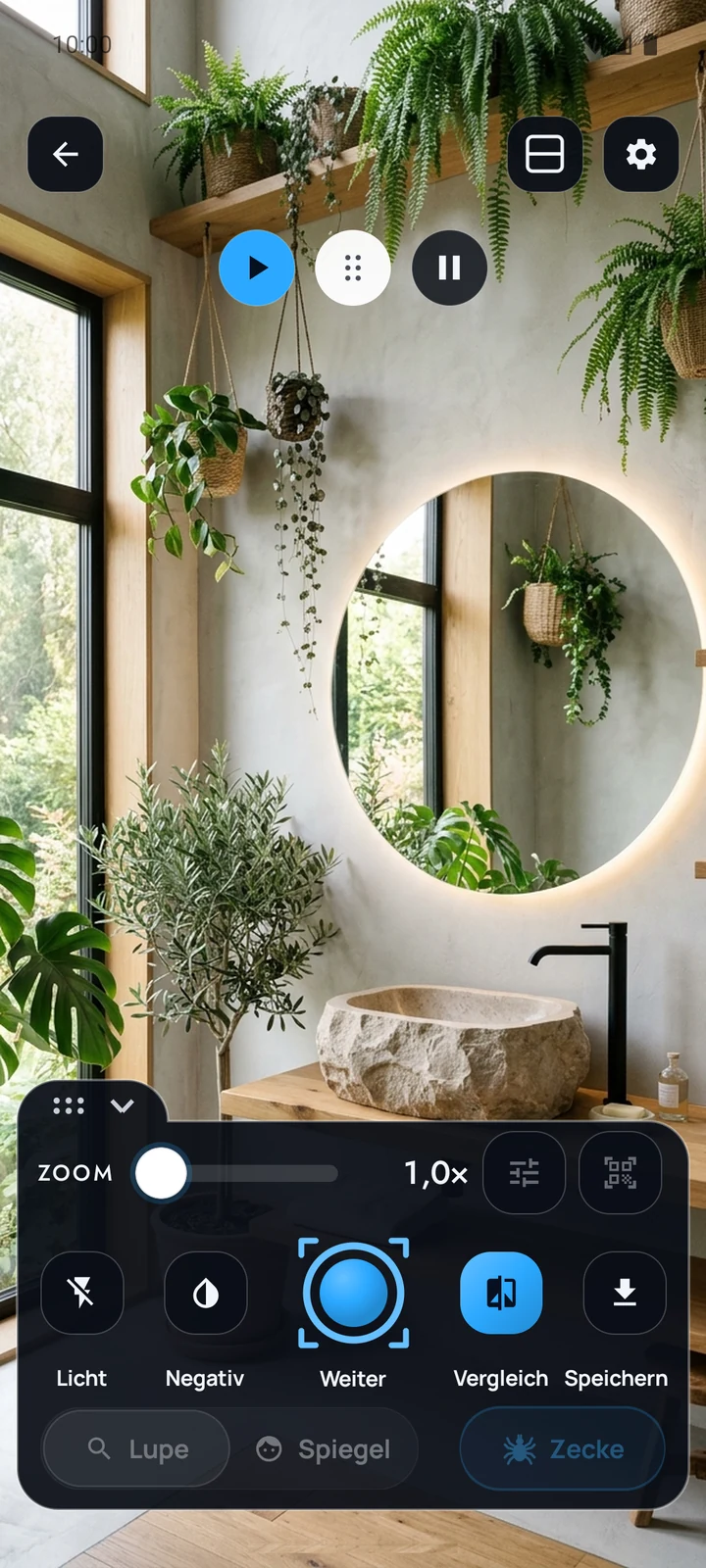
- Comparison view: still and live image one above the other or side by side
- Zoom up to 8×, depending on the front camera – for eyebrows, lashes, the hairline at the back of your neck
Across the app
- Separate settings per mode – the mirror does not forget what the magnifier can do
- Movable control panel: drag it by the handle to where your thumb is – in portrait and landscape
- Landscape: the same controls as a column, a larger scan frame, and codes are only detected inside the frame
- Hide the control bar after 5, 10 or 20 seconds, for when the phone is propped up
- Large buttons from 56 dp, high contrast, everything also reachable by gesture
- Five colour themes (new: Pink) in light and dark
- Eleven languages, switchable inside the app
- Quick settings tile and three launcher shortcuts: magnifier, mirror, tick
- A 13-step guide you can call up at any time under “Help and legal”
- New Studio design: every control always in the same place
- Gallery for all saved images and videos, each one can be opened again in the main window
Honestly speaking
What the app costs, what it takes along – and what it definitely does not do.
The app doesn't upload your images or texts
No camera image and no recognised text is uploaded. SimpleCrafts Studio runs no server of its own for the app and receives neither images nor texts or settings. Only when you tap “Search” does a Google search with the chosen text open in your browser.
No account, no subscription
No sign-in, no registration, no paywall in front of the zoom. Every function is there from the start.
Ads instead of a price tag
The app is free and funded by a banner at the bottom and – at most every two minutes – an ad when you tap “Recognise” or leave the compare view. Nothing more, and the banner never covers the camera image.
MirrorLens in motion
Barely a minute: ring light, holding the image, negative view, small print.
When you play it, your browser loads the video from YouTube (Google, including the USA), transmitting your IP address among other data. By clicking you consent. More in the privacy policy.
iPhone
Tell me when MirrorLens comes to iPhone
MirrorLens is only available for Android so far. If you have an iPhone, sign up and you will get one email when an iPhone version is released – and not otherwise.
Ready for a closer look?
MirrorLens is on Google Play – free, no account, no subscription.
For Android 8.0 and newer.