 App page
SmartWeight
Log your weight – SmartWeight shows you the real trend behind the daily ups and downs, your goal with a date and an honest forecast.
- Free
- No account
- Data only on your device
01GPS speedometer · Compass · Trip log
SmartWeight
Calm, honest, quick
Everything you need to keep an eye on your weight – and nothing more.
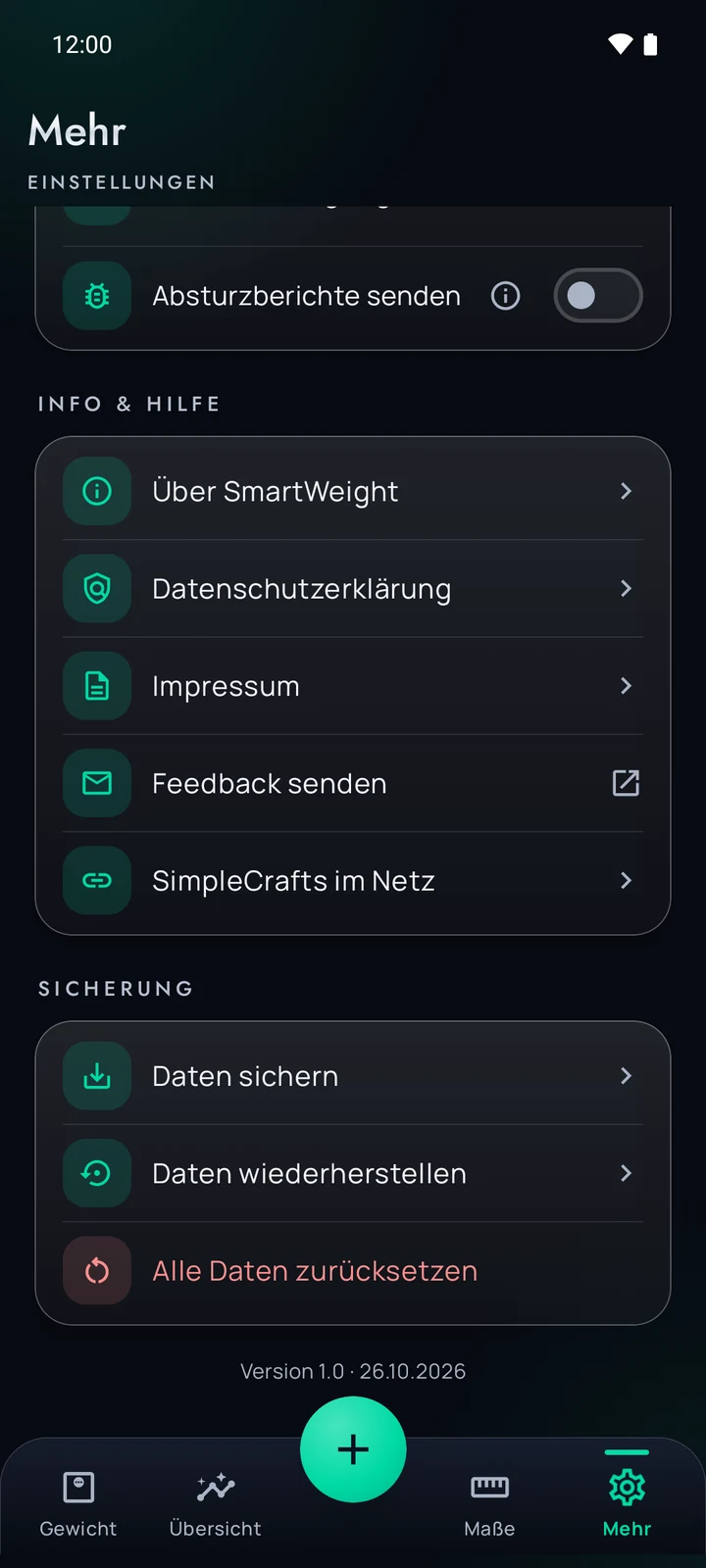
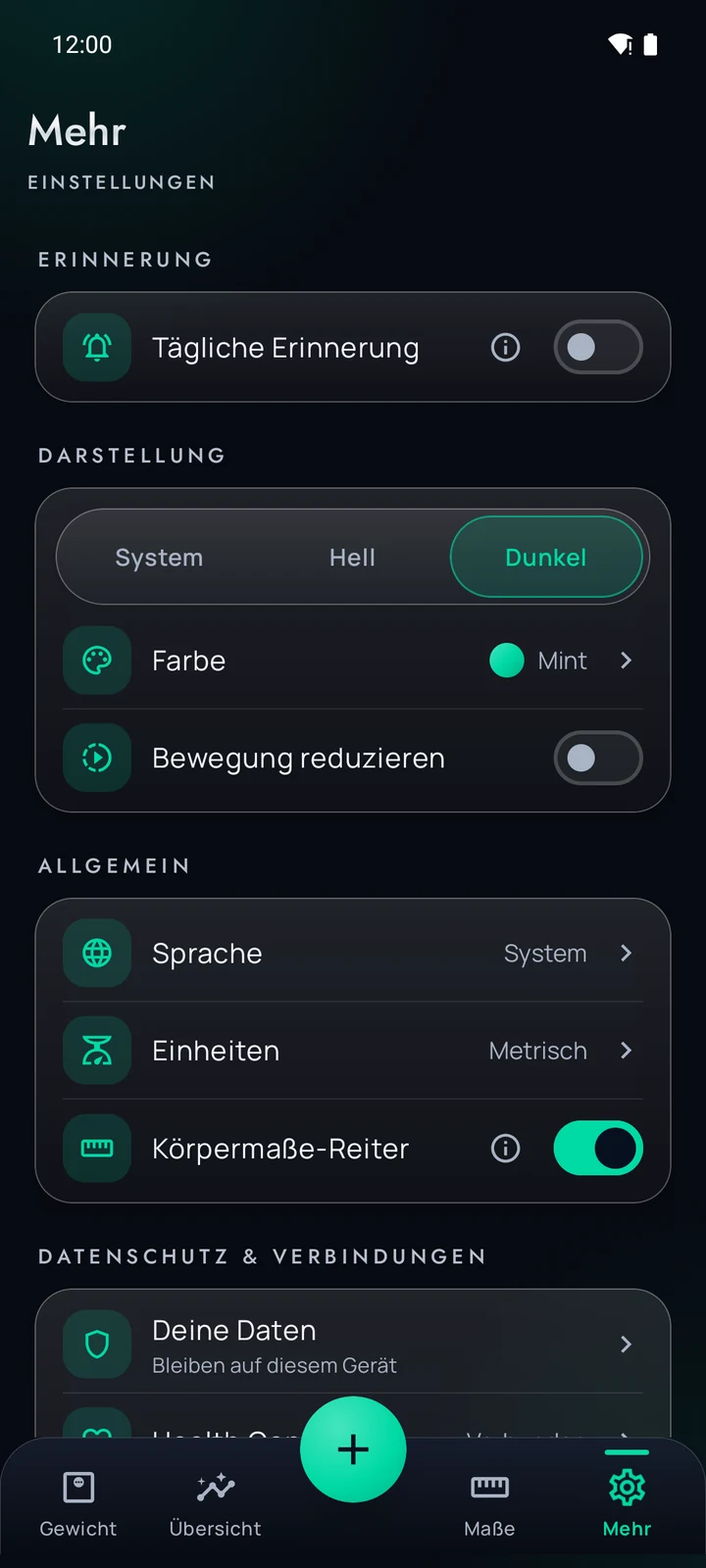
Everything at a glance
Calm, honest, quick
Everything you need to keep an eye on your weight – and nothing more.
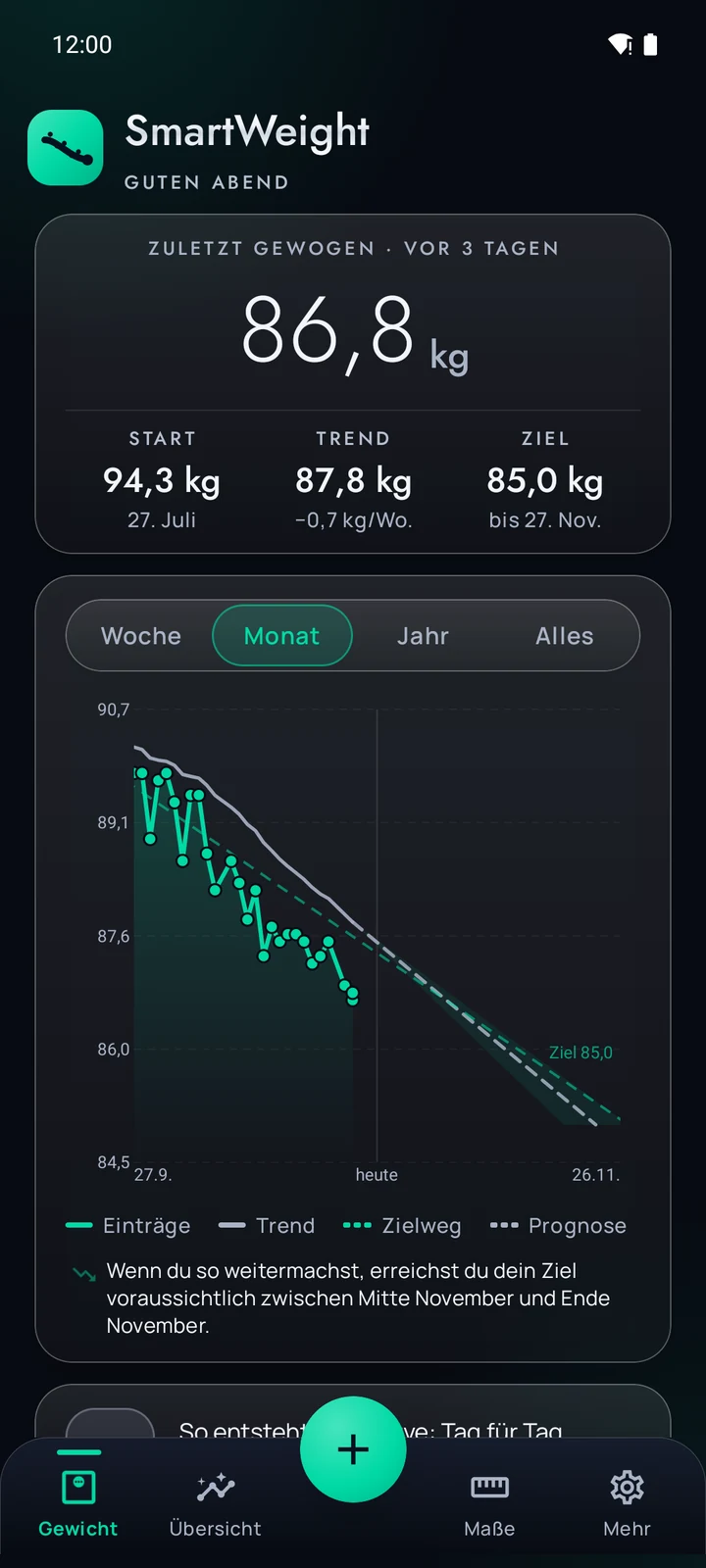
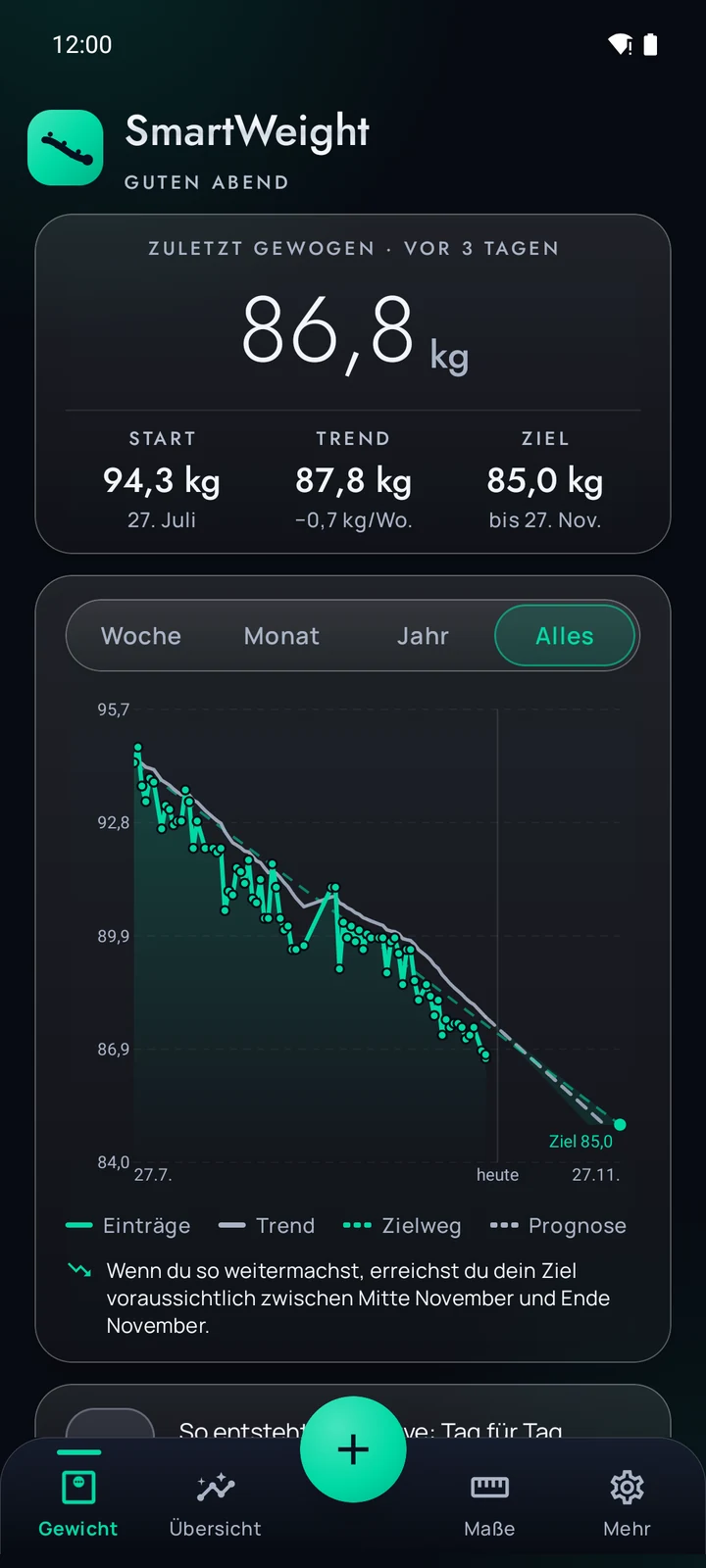
Trend curve
Smoothed using the method from “The Hacker’s Diet”, with time-aware smoothing – the curve stays useful even after breaks.
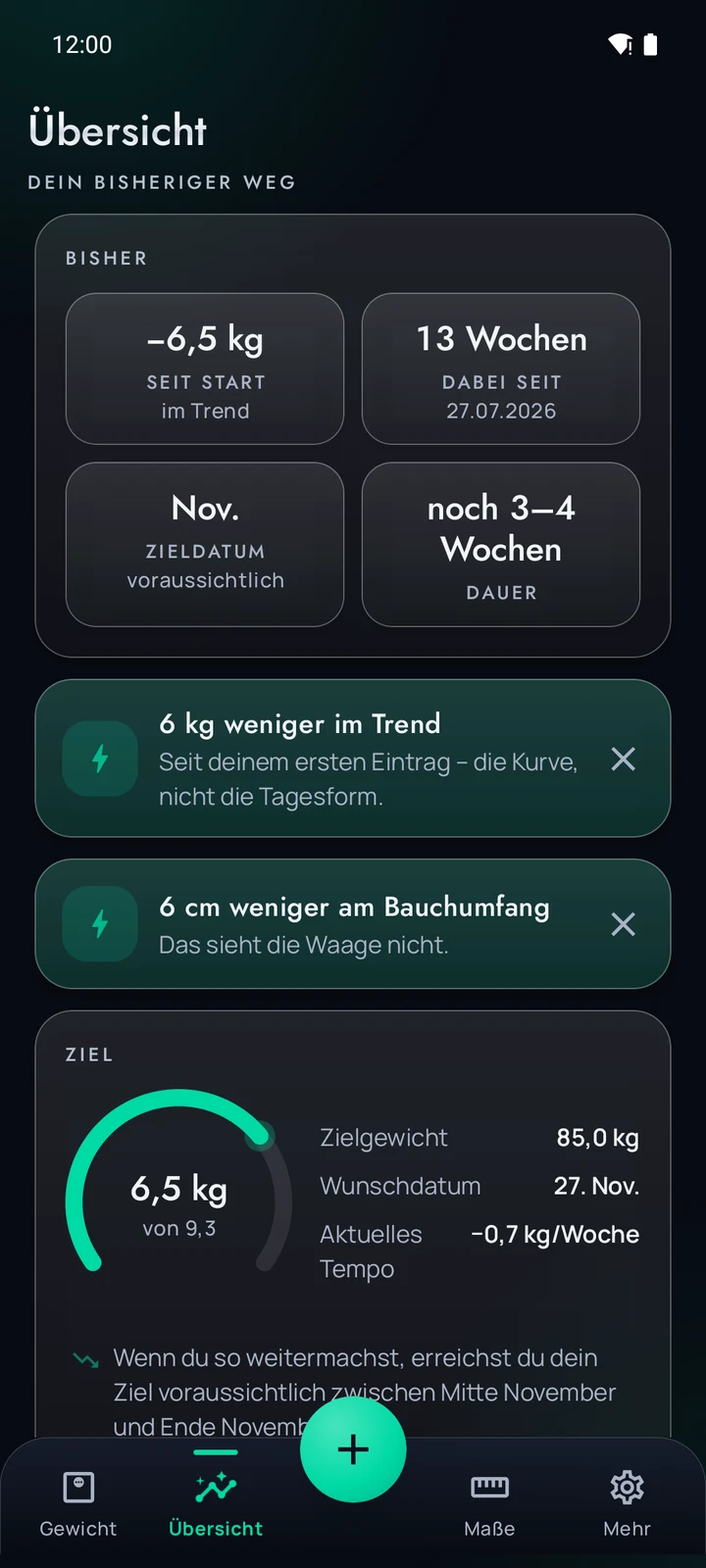
Goal with a date
Set a target weight and a date. If the goal is very ambitious, the app gives advice – and still leaves the last word to you.
Forecast as a corridor
Instead of one number you see the range where you are likely to end up.
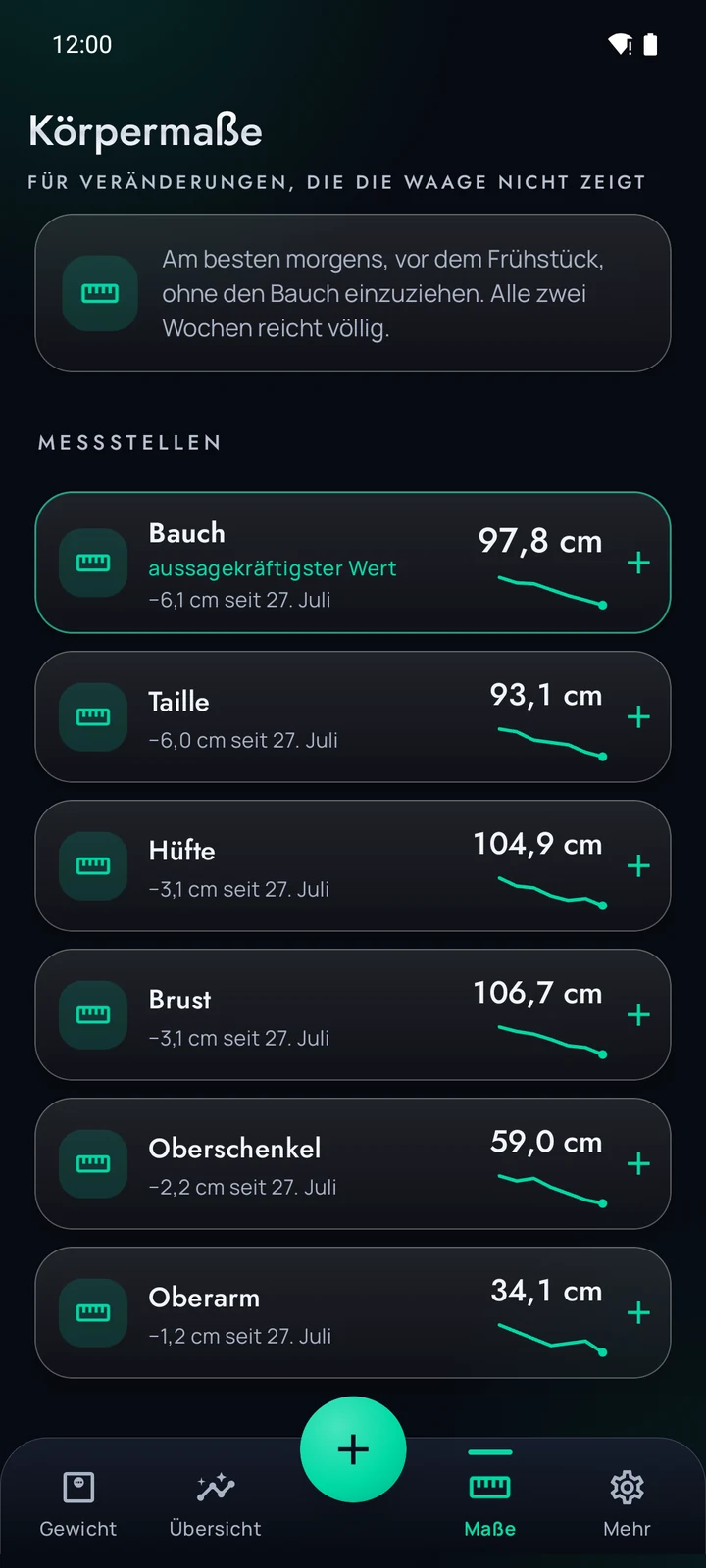
Body measurements
Log belly, waist and other measuring points. If you exercise, the scale often shows less than what is really happening.
One reminder a day
If you like, a single daily reminder at the time you choose – switch it off any time.
Health Connect (optional)
If you like, the app writes your weight to Health Connect – weight only, write-only, only after you allow it.
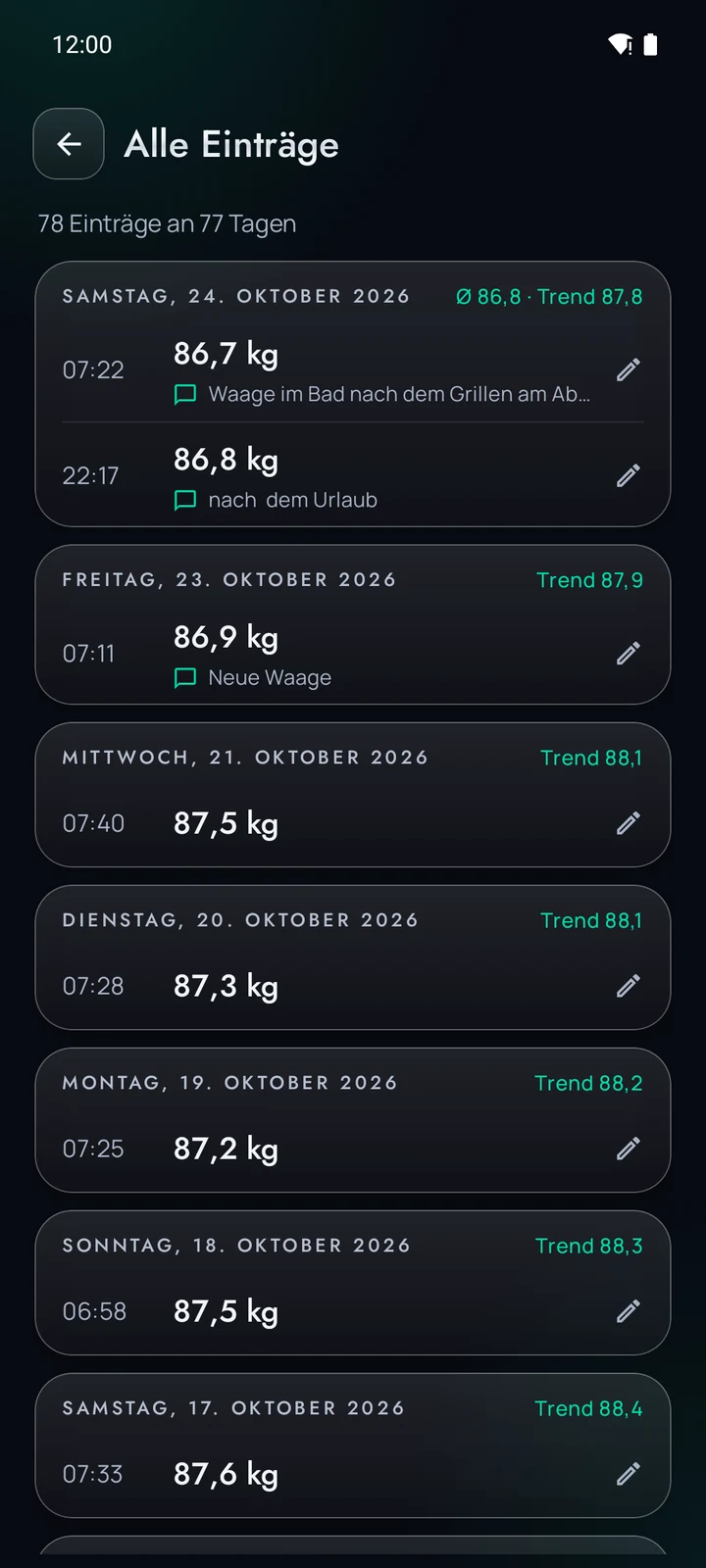
Several entries per day
Weigh in the morning and evening? No problem – the trend averages the values per day.
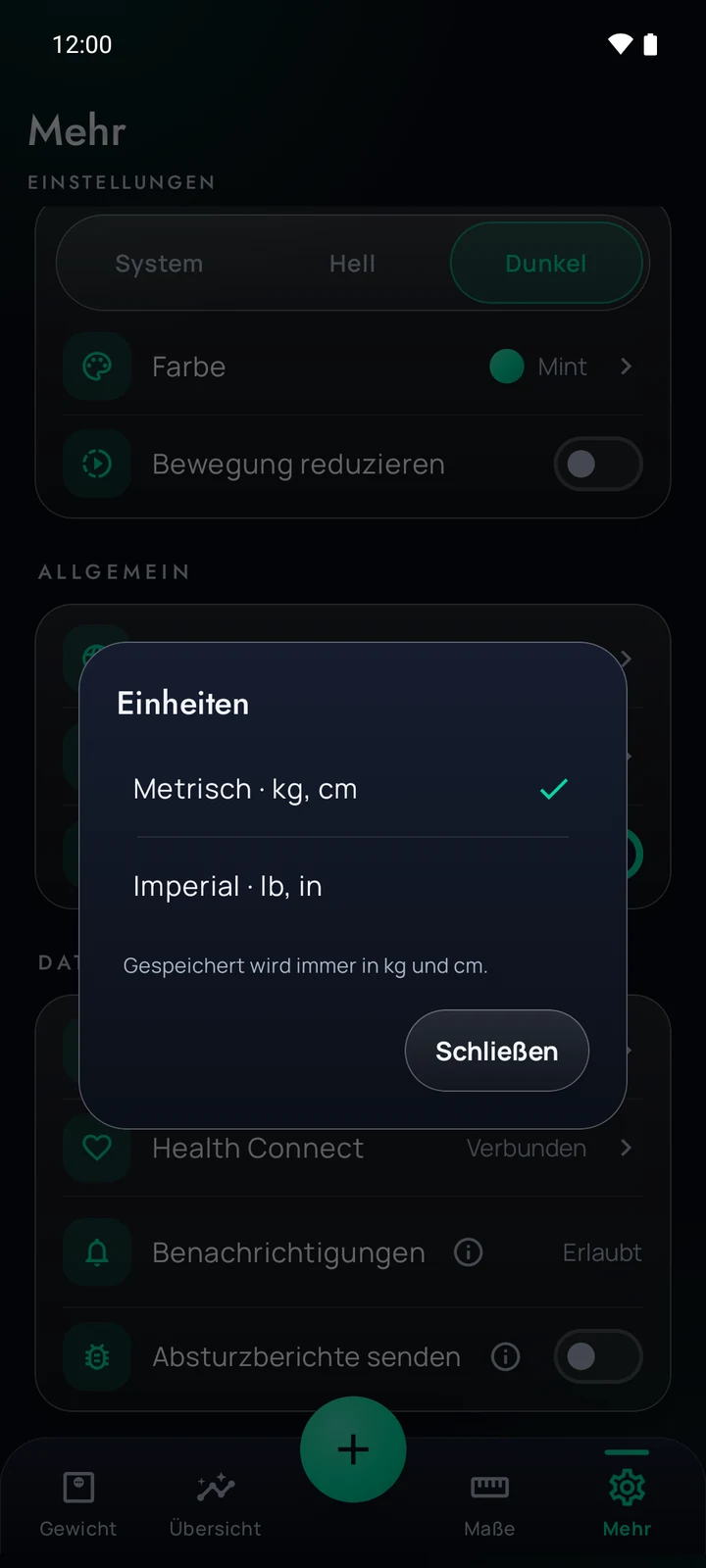
Kilograms or pounds
Weight in kg or lb, measurements in cm or in – independent of the language. Preset by your region.
German and English
The app is available in German and English. Choose the language in the app or follow the system.
Back up & reset
Back up and restore all data as a file – replace or add. “Reset all data” takes two steps.
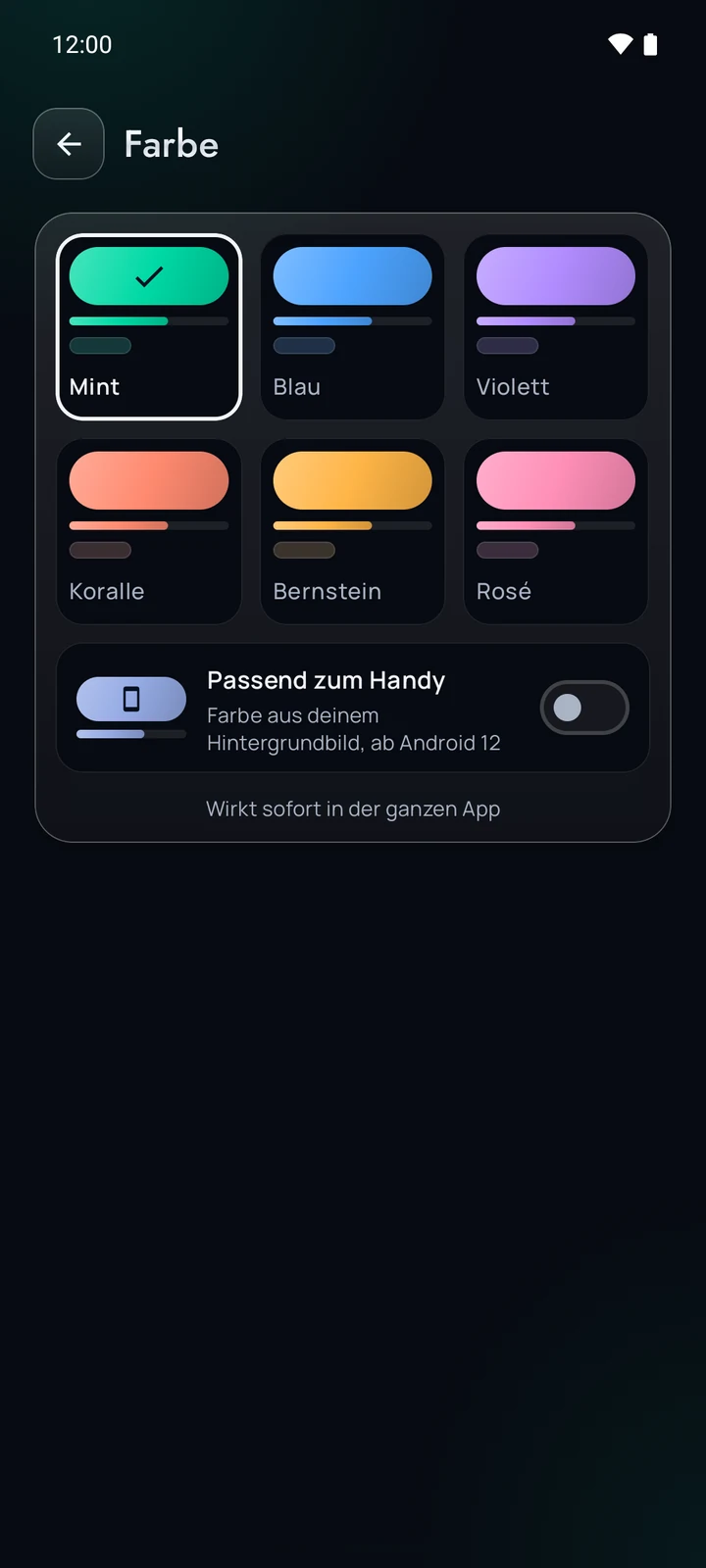
Six accent colours
Mint, blue, violet, coral, amber or rose – or, from Android 12, matching your phone.
From entry to trend in three steps
Weigh yourself whenever you like. The app does the rest.
Log your weight
A few seconds a day, or as often as you like. Gaps are no problem.
Read the trend
The curve smooths out the swings caused by water, salt and time of day. The trend is big, the daily reading small.
Keep your goal in sight
Set a target weight with a date. The forecast shows a corridor instead of a seemingly exact number.
SmartWeight doesn’t judge: no red for “too much”, no reproaches after a break.
Free – and honest about how
SmartWeight costs nothing and needs no account. The app is funded by an ad banner.
Ads from Google AdMob
One banner at the bottom. The app asks for your consent for this; you can withdraw it any time in the app’s privacy menu.
Weight data stays out
Weight, body measurements and goal are never passed on to AdMob or anyone else and are not used for advertising.
Only on your device
No account, no cloud, no server of our own. Everything lives on your phone.
No subscription
Nothing to sign up for, nothing to cancel.
Not a substitute for medical advice
SmartWeight is not a medical device. The trend curve and forecast are calculated from your own entries and can be inaccurate.
If you have a medical condition, are pregnant, have an eating disorder or want to lose a lot of weight, please talk to a doctor first. The app is intended for people aged 18 and over.
What happens to your data
Weight, body measurements, goal and settings are stored only on your device. This is health data, and the app treats it accordingly. Data leaves the device only if you connect Health Connect, if Android backs it up to your Google account (can be switched off) and – as device data, never as weight – for advertising.
Frequently asked questions
Does SmartWeight cost anything?
No. The app is free and shows an ad banner from Google AdMob in return.
Do I need an account?
No. There are no accounts, no cloud and no server of our own.
Do the ads see my weight?
No. Weight, body measurements and goal are never passed on to AdMob or anyone else and are not used for advertising. Google only receives device data such as the advertising ID and IP address that are needed to show the ad – and only with your consent, which you can withdraw any time in the app’s privacy menu.
What does the Health Connect link do?
It is optional. If you connect the app, it also writes the weight you log to Health Connect – nothing else. If you delete an entry in the app, its own entry there disappears as well. SmartWeight never reads or changes values from other apps.
Why a trend instead of the daily weight?
Your daily weight swings by one to two kilos, for example because of water and salt. If you only see the raw number, you experience random setbacks. The smoothed curve shows the real direction.
Will I lose my data when I switch phones?
The data is stored on the device. Under “More → Backup” you save everything to a file and restore it on a new device. If Android backup is switched on, Android can also back the data up to your Google account; you can switch that off in the Android settings.
Who is the app for, and is it available in English?
For people aged 18 and over. The app is available in German and English; this page is available in 11 languages. There is no SmartWeight for iPhone yet – you can join the waiting list below.
iPhone
Tell me when SmartWeight comes to iPhone
SmartWeight is only available for Android so far. If you have an iPhone, sign up and you will get one email when an iPhone version is released – and not otherwise.
Ready to start observing?
SmartWeight will be on Google Play shortly – free of charge.
Free, no account. The app is available in German and English.